5.1 REMOTE KIT - UD AUDIO

Product Code: PRODUCT 8040
Availability: In Stock
Product Views : 10750
₹1,700.00
₹1,700.00
Ex Tax: ₹1,700.00

The 5.1 Remote Kit - UD Audio typically refers to a remote control system designed to manage and control a 5.1-channel audio setup from UD Audio or a similar brand. This kit includes a remote control and a receiver or control unit that manages the audio system, offering convenience and functionality for a surround sound experience. The 5.1 Remote Kit - UD Audio is designed to work with a 5.1 surround sound system, which includes five main speakers (front left, front right, center, surround left, and surround right) and one subwoofer. The remote control allows users to adjust audio settings, switch inputs, and control various functions of the audio system wirelessly.
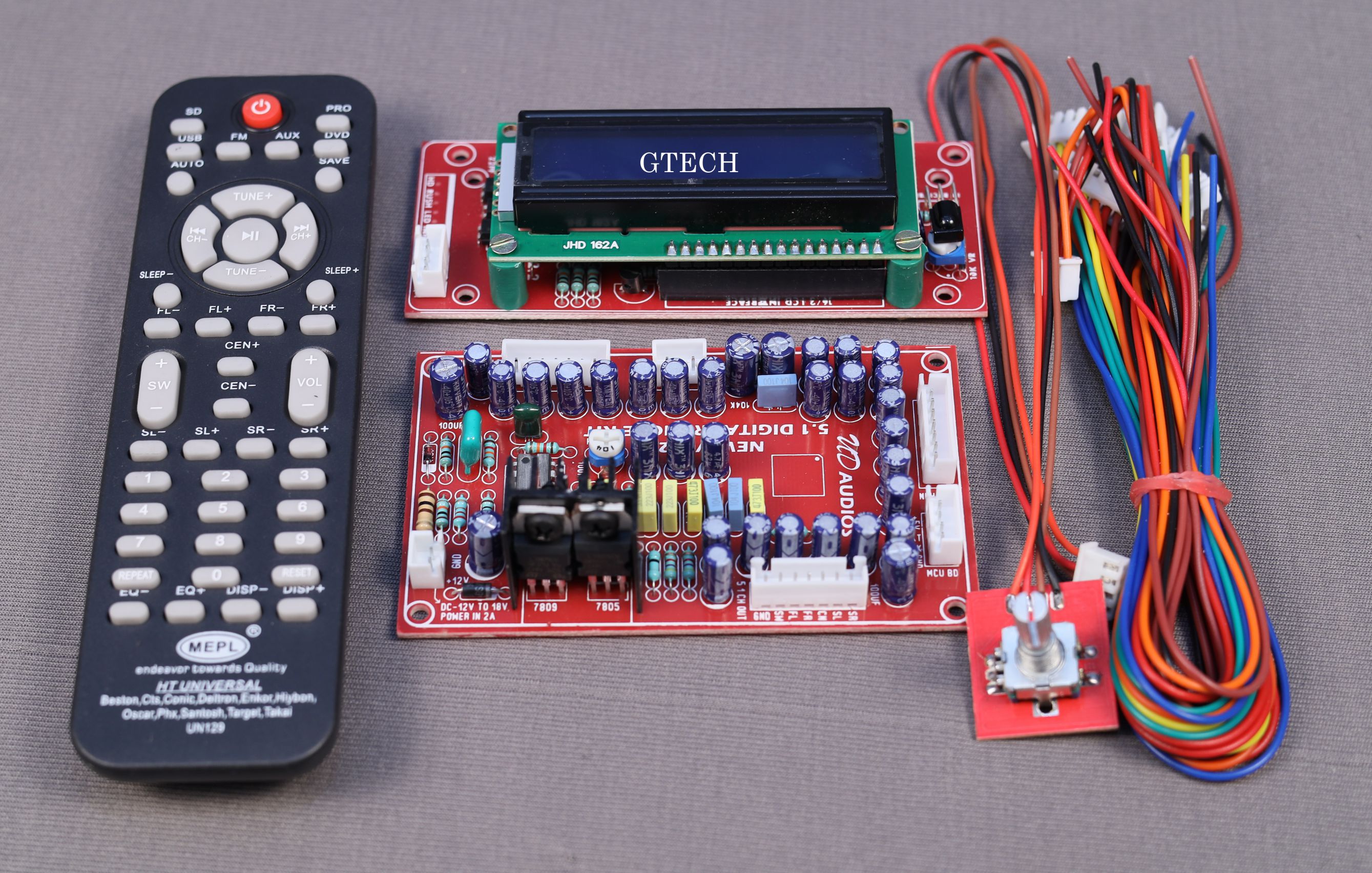

  1. Remote Control:

    • Wireless Operation: Enables users to control their 5.1 audio system from a distance, making it easy to adjust settings without needing to be physically near the control unit.
    • Button Functions: Includes buttons for essential functions such as power, volume up/down, mute, input selection, and possibly additional controls for bass, treble, and balance.
    • Display (if applicable): Some remotes feature an LCD screen or LED indicators to show current settings, modes, or input sources.
  2. Receiver/Control Unit:

    • Audio Management: Processes and amplifies audio signals for the 5.1-channel speaker setup.
    • Input Selection: Offers multiple input options such as HDMI, optical, coaxial, or analog inputs to connect various audio sources.
    • Speaker Connections: Provides connections for the five main speakers and the subwoofer.
  3. Audio Processing:

    • 5.1 Surround Sound: Handles the processing of 5.1-channel audio, delivering immersive surround sound from compatible sources.
    • Adjustments: Allows users to modify audio settings such as volume, balance, equalization, and surround sound effects.
  4. Compatibility:

    • Input Sources: Compatible with a wide range of audio sources, including Blu-ray players, gaming consoles, TVs, and streaming devices.
    • Speaker Compatibility: Designed to work with standard 5.1-channel speaker configurations.
  5. Ease of Setup:

    • Simple Installation: Typically involves connecting the receiver to the speakers and audio sources, with straightforward instructions provided for setup.
    • User-Friendly Interface: Features an intuitive interface for easy navigation of settings and functions.
  6. Power Supply:

    • Remote Power: Powered by standard batteries (e.g., AA or AAA) or rechargeable batteries depending on the model.
    • Receiver Power: Requires connection to a power source, often with a standard AC adapter.

Typical Use Cases

  1. Home Theater Systems:

    • Remote Control: Provides convenient control over a home theater audio system, allowing users to manage audio settings from their seat.
  2. Entertainment Systems:

    • Multi-Source Integration: Useful for managing audio from various sources connected to a 5.1-channel audio system.
  3. Media Rooms:

    • Convenient Control: Enhances the functionality of a media room setup with easy access to audio controls and settings.

How to Use

  1. Set Up the Receiver/Control Unit:
    • Connect the receiver to your audio sources (e.g., Blu-ray player, game console) and the 5.1 speakers (front left, front right, center, surround left

, surround right, and subwoofer) according to the manufacturer's instructions.

  1. Install Batteries in the Remote:

    • Insert the appropriate batteries into the remote control. Follow the battery orientation indicated in the battery compartment.
  2. Pair the Remote with the Receiver:

    • If necessary, follow the instructions provided to pair the remote control with the receiver or control unit.
  3. Use the Remote:

    • Use the remote to power the system on and off, adjust volume, change input sources, and manage audio settings such as bass, treble, and surround sound effects.
  4. Adjust Audio Settings:

    • Fine-tune the audio settings using the remote to optimize your listening experience based on your preferences and room acoustics.