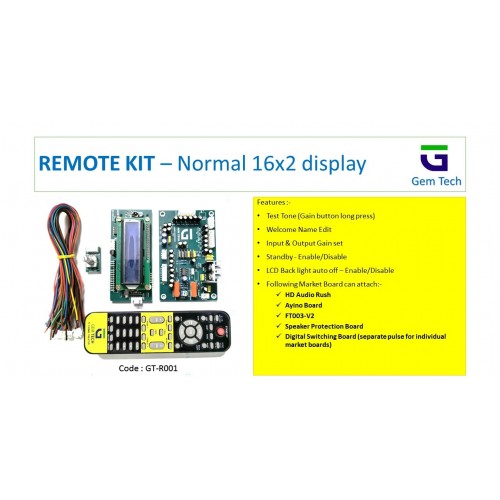
5.1 REMOTE KIT NORMAL 16X2 DISPLAY - GEM TECH
Product Code: PRODUCT 8343
Availability: In Stock
Product Views : 11928
Availability: In Stock
Product Views : 11928
₹1,600.00
₹1,600.00
Ex Tax: ₹1,600.00
₹1,600.00
Ex Tax: ₹1,600.00
The 5.1 Remote Kit with Normal 16x2 Display - Gem Tech is designed for managing a 5.1-channel surround sound system. This remote kit features a basic 16x2 LCD display, which provides essential information and functionality for controlling your audio setup. The 5.1 Remote Kit - Gem Tech allows for efficient control of a 5.1-channel audio system using a remote control. The "normal" 16x2 display refers to a standard LCD screen with 16 characters per line and 2 lines, providing basic text-based information.
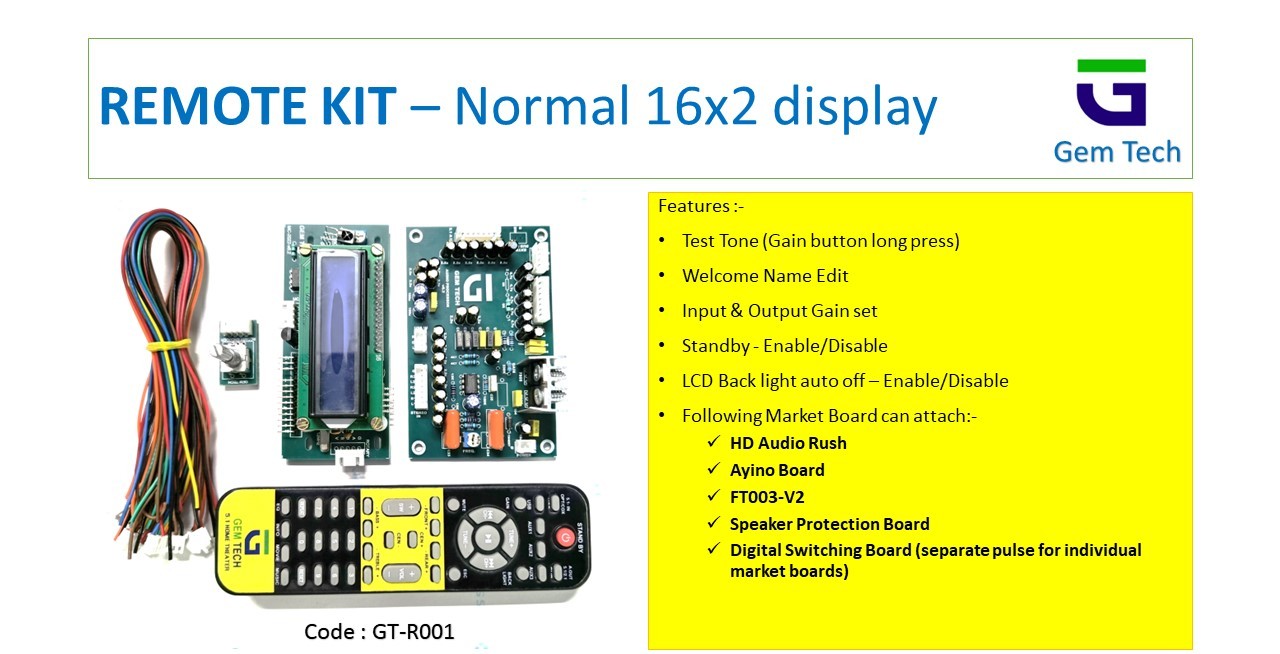
16x2 LCD Display:
- Basic Display: The 16x2 LCD screen provides essential system information, such as current settings and modes. It displays text in a simple and clear format, though it does not support graphical elements or detailed visualizations.
- Functionality: Shows information such as volume levels, input sources, and system status.
Remote Control Functions:
- Wireless Operation: Enables remote management of your 5.1 surround sound system.
- Button Functions: Typically includes buttons for power, volume control, input selection, and possibly additional functions like balance, bass, treble adjustments, and surround sound effects.
Audio Management:
- 5.1 Surround Sound: Manages and processes audio for a 5.1-channel speaker setup, delivering immersive surround sound.
- Audio Settings: Provides control over various audio settings such as volume, balance, bass, treble, and surround sound effects.
Connectivity Options:
- Input Selection: Allows for switching between different audio sources connected to the receiver.
Ease of Use:
- User Interface: The 16x2 LCD display provides a straightforward interface for navigating settings and options.
- Integration: Designed to work seamlessly with 5.1-channel audio systems.
Power Supply:
- Remote Power: Typically powered by standard batteries (e.g., AA or AAA) or rechargeable batteries, depending on the model.
- Receiver Power: Requires connection to a power source, usually via an AC adapter.
Typical Use Cases
Home Theater Systems:
- Convenient Control: Allows users to manage their 5.1-channel home theater audio system from a distance.
Entertainment Systems:
- Audio Management: Useful for managing audio settings and inputs from various sources.
Media Rooms:
- Control and Functionality: Enhances media room setups with easy-to-use remote control capabilities.
How to Use
Set Up the Receiver/Control Unit:
- Connect the receiver to your 5.1 speakers and audio sources as per the manufacturer’s instructions.
Install Batteries in the Remote:
- Insert the appropriate batteries into the remote control. Follow the battery orientation indicated in the battery compartment.
Use the Remote:
- Operate the system using the remote to adjust volume, select input sources, and modify audio settings.
Adjust Audio Settings:
- Utilize the remote to adjust settings such as volume, balance, bass, treble, and surround sound effects to suit your preferences.

Camera
Tv & Audio
Laptop & Computer
Accessories
Smartphone & Table
Printers & Ink
Game & Consoles
Headphone